|
| MailAddiction's web-based email marketing solution provides features that are simple and powerful. Our easy to use campaign design tools are effective and deliver immediate results. Along with our list manager, tracking and reporting, and live performance monitor, MailAddiction makes it easy to manage your customers. |


Email Campaign Reports |
« Back Next » |
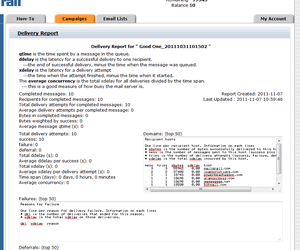
MailAddiction provides detailed reporting and statistics for every email marketing campaign.
Monitoring campaigns becomes no more than a simple and quick glance. |
|
Email Campaign Statistics & Reporting |
|
Reading Your Campaign ReportsEach report brings together the metrics that matter most for improving your next send:
|
|
Turning a Report Into a Better Next CampaignA report only helps if it changes something about the next send. A few ways to put the numbers to work:
Reviewing reports one campaign at a time tells you what happened. Reviewing them side by side over several sends is what actually improves results. |
|
Campaign Reporting Checklist
|
|
Email Reporting FAQWhat's the difference between a hard bounce and a soft bounce?A hard bounce means the address is invalid or permanently undeliverable. A soft bounce is usually a temporary issue, like a full inbox, and may succeed on a later send. How quickly is reporting data available?Delivery, open, click, and bounce data update as recipients interact with your campaign, so reports reflect activity in real time. Can I compare performance across multiple campaigns?Yes. Reviewing reports side by side over time is the fastest way to see whether changes to subject lines, timing, or offers are improving results. Should I compare my results to published industry benchmarks?Industry averages are a rough reference point, but your own list and past campaigns are a better baseline — audience, industry, and offer type all shift what a "good" open or click rate looks like. What should I do first if a report shows an unusually high bounce rate?Check whether the bounces are concentrated in one recently uploaded segment — that usually points to a list-quality issue at the source rather than a problem with the campaign itself. |
|
| MailAddiction is an Email Marketing services company. We provide our clients the best Email Campaigns and Email List Management as well as information with our Email Marketing Resources and more. | |
Building a Reporting RoutineA single report is a snapshot. A reporting routine — checking the same metrics after every send, on a schedule rather than only when something feels off — is what actually improves campaigns over time. Even ten minutes spent comparing a new report to the last two or three sends surfaces patterns a one-off glance misses: a slow decline in click rate, a segment that consistently outperforms the rest of the list, or a subject line style that's stopped working. The goal isn't to chase a perfect number on every report. It's to notice direction — whether the trend across recent campaigns is improving, flat, or sliding — and adjust before a small decline becomes a pattern that's harder to reverse. See the full email campaign management guide for how reporting fits into planning your next send. |
|
| Ready to launch with detailed reporting and campaign analytics? Start with our free email marketing trial (2,500 emails, no credit card), then review pay-as-you-go pricing when you're ready to scale. | |
| « Back Next » | |